
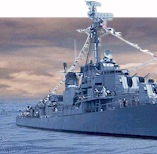


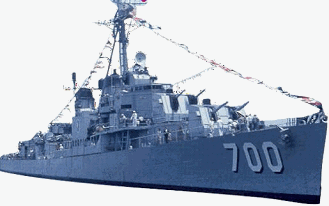
USS Haynsworth DD700 DD700, Haynsworth, Destroyer, Destroyers, USS Haynsworth, USS Haynesworth, U.S.S. Haynsworth, WWII, World War, Navy Destroyers, website features this Navy Destroyers History, Crew Rosters, Reunion Photos
 This page LAST  Updated
 
2/23/2009


How to submit Items you wish to place on Our Website -
Send your e-mail with or without an attachments
To:

Howard5052@Charter.net

It's easy to submit the following to us by simply sending it as a normal e-mail.

Your Comments
Personal Accounts of Incidents while serving aboard the USS Haynsworth
Memories
Personal Biography

E-Mail with attached photos that you took with your new digital camera or scanned photos from the old family scrapbook can be a little more complicated.

E-mailing a digital photo sounds so simple. After all, few tasks are more elementary in this high-tech world than sending an e-mail. But e-mail can still confound.

Size Is the Problem

If you ever have difficulty e-mailing images, the crux of the problem is almost always the size of the image files that you've attached. When I talk about size in this context, I don't mean the number of megapixels or the dimensions of the image. I mean the file size, usually measured in kilobytes or megabytes, which is how much space it takes to store the image.

Here's why file size matters: Most e-mail services support messages of up to a certain size, like 2MB or 5MB. If you send a message that's larger than the upper limit, then the message will be rejected by the server (resulting in an error message in your e-mail program) or will arrive at the recipient's PC looking like digital spaghetti, extruded into alphanumeric gobbledygook in the e-mail message.

Even if the message makes it all the way through--thanks to a very generous file size limit at your ISP--the results may not be pretty. If you send a huge 5MB image to someone with a dial-up connection to the Internet, it can take them an hour or more to receive your message, tying up the phone line the whole time. Your recipient won't be pleased.
Resize Using Paint Shop Pro

You can also use your favorite image editor to resize images. To resize a photo there are a number of great software packages that were included on your camera's install disc. For those of you that might have a Canon Camera there is a wonderful free software download named "ZoomBrowser" that makes the task of sizing and sending photo attachments sample. Also I sometimes use  Jasc Paint Shop Pro, for instance, load the picture into the program and then choose Image, Resize from the menu. You'll see the original dimensions at the top of the Resize dialog box. Make sure that the "Lock aspect ratio" option is checked. Enter smaller dimensions in the Pixel Dimensions Width box; the height will adjust automatically if the aspect ratio is locked. (For e-mail I use about 800 by 600 pixels or less.) Save the image as a JPEG--and I suggest that you save it on the Windows desktop with a different file name so you won't accidentally overwrite the larger original. Then attach the file you just resized to your outgoing e-mail.

Remember it might be best to attach only one photo at a time.

I hope this information will assist you in getting involved in making our website more interesting with your input.

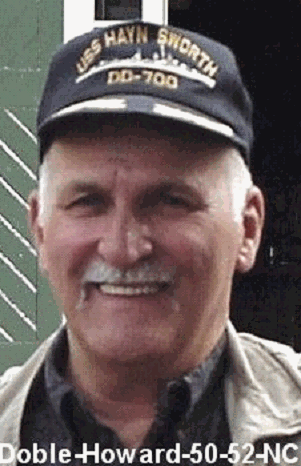
Howard R. Doble 50-52


USS Haynsworth DD700 Webmaster


Ship's History | Crew Information | Photo Gallery
Current Membership Head Shots
"New" Haynsworth Guestbook and Chat Room
2008 Reunion Information   | How To Contact Us


Send E-Mail to Webmaster

Haven't Registered With Us Yet???
CLICK HERE


© Copyright 2009 - Howard R. Doble, 50-52   (Image credits are shown)